Workflow API Usage
This page explains the Workflow API integration that allows your SkyStudio workflows to communicate with your own applications. You can integrate intelligent automations created with the drag-and-drop interface into your systems through the API within seconds.
1) Where to Get the API Key
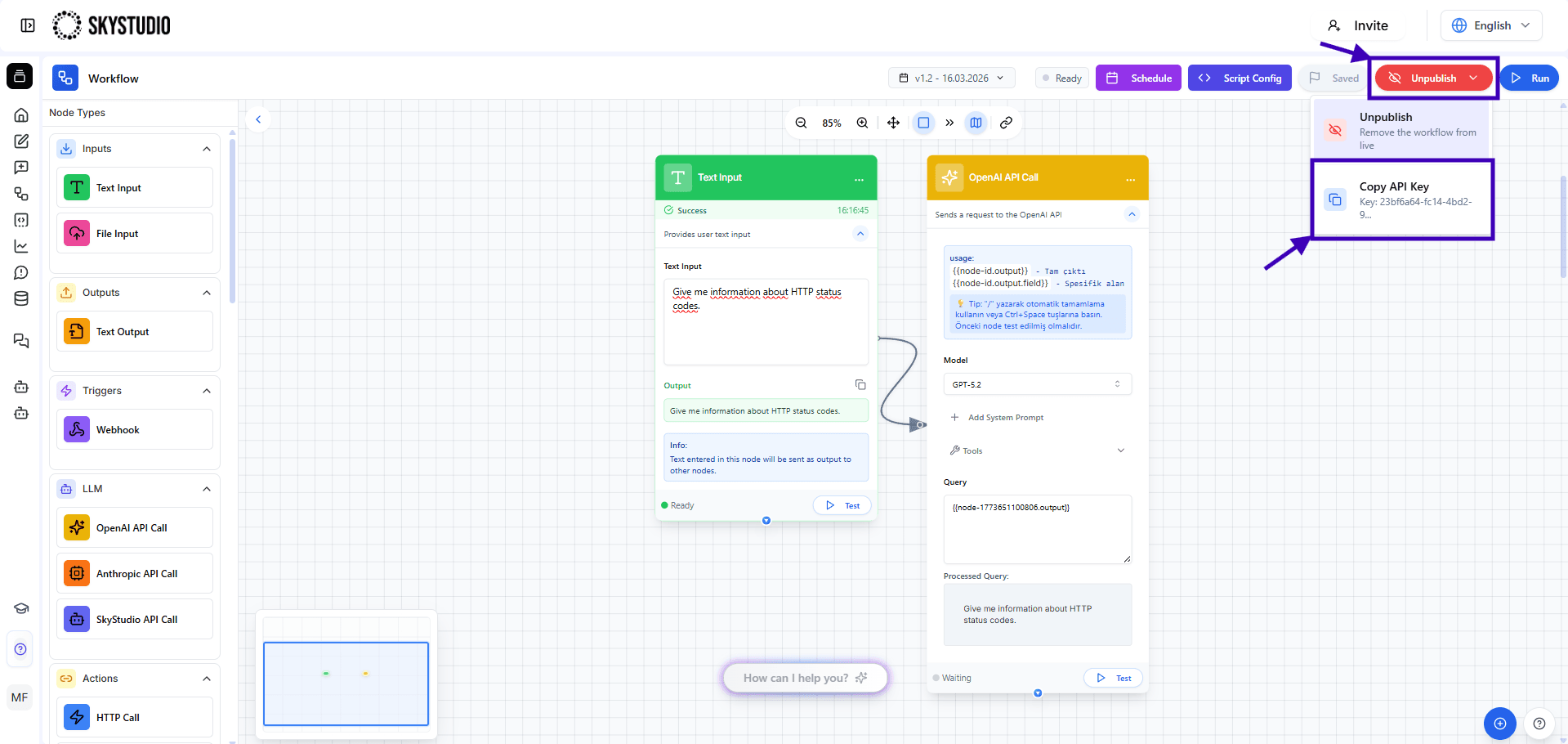
First, publish the workflow from the Publish section in the Workflow interface. After publishing it, copy the Workflow API key from the Copy API Key section.
2) API Settings
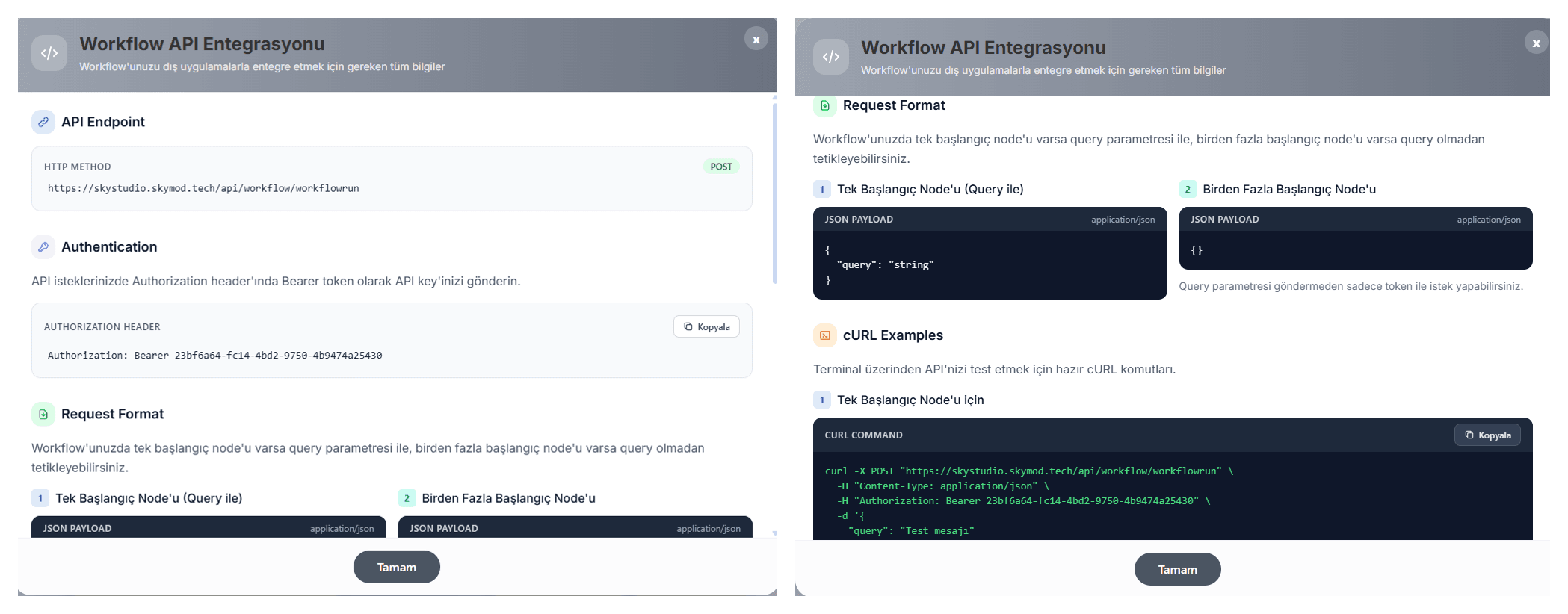
Apply the following settings in the API client you use:
- Method: POST
- Auth: Bearer Token → Workflow API Key
- Headers:
Content-Type: application/json - Body: raw → JSON
Endpoint
| Method | Path | Content-Type |
|---|---|---|
| POST | /api/workflow/workflowrun | application/json |
Full URL: https://skystudio.skymod.tech/api/workflow/workflowrun
💡 Why Do We Use These Parameters?
-
Method: POST
We are not only retrieving data. We are externally triggering the workflow created in SkyStudio and starting a new operation. -
Auth: Bearer Token
This is the security key that proves you are authorized to trigger the specific workflow. It is the Workflow API Key. -
Headers: Content-Type:
application/json
This ensures that data exchange between your application and SkyStudio is performed using a universal, fast, and reliable format. -
Body: raw → JSON
This is used to send the dynamic data or trigger commands expected by the starting node of your workflow.
Request Variants
1) Query with a Single Starting Node
{
  "query": "Test message"
}
2) Query with Multiple Starting Nodes
{}
You can send the request using only the token without providing a query parameter.
cURL Example with a Single Starting Node
curl -X POST "https://skystudio.skymod.tech/api/workflow/workflowrun" \
  -H "Content-Type: application/json" \
  -H "Authorization: Bearer YOUR_WORKFLOW_KEY" \
  -d '{"query": "Test message"}'
cURL Example with Multiple Starting Nodes
curl -X POST "https://skystudio.skymod.tech/api/workflow/workflowrun" \
  -H "Authorization: Bearer YOUR_WORKFLOW_KEY" \
  -H "Content-Type: application/json" \
  -d '{}'
3) Troubleshooting
- Is the URL correct?
- Is the Authorization Bearer token correct?
- Does the body format match the number of starting nodes?
Review the error according to its status code: