How to Write an Assistant Prompt?
A good assistant prompt turns the model into "an expert who knows what to do." For this, the identity (role), purpose, audience, tone, context, output format/constraints, and quality criteria must be clear. The framework below ensures that you get consistent results in every use case.
1) Basic Framework (PTCF+)
- Persona (Role): Who is the assistant? (e.g., "Senior technical editor," "B2B marketing specialist").
- Task (Task/Purpose): Exactly what will it do, and what is the success criterion? (e.g., "A 400-word launch post; a CTA at the end").
- Context: Product/service summary, constraints, reference documents/links.
- Format (Format/Constraints): Length, language, structure (headings, table, bullet points), CTA/output format.
- Tone/Style: Inspiring, corporate, formal, warm, etc.
- Quality Criteria: Accuracy, consistency, sources/evidence, no repetition, limited jargon. Tools/Capabilities (Optional): Specify if capabilities such as web search, data analysis, image generation, or actions (API) are needed.
Tip: "Optimize 🚀" automatically completes most of these fields (role/tone/goal/context/format), fills in the gaps, and standardizes them; it produces predictable output with fewer revisions.
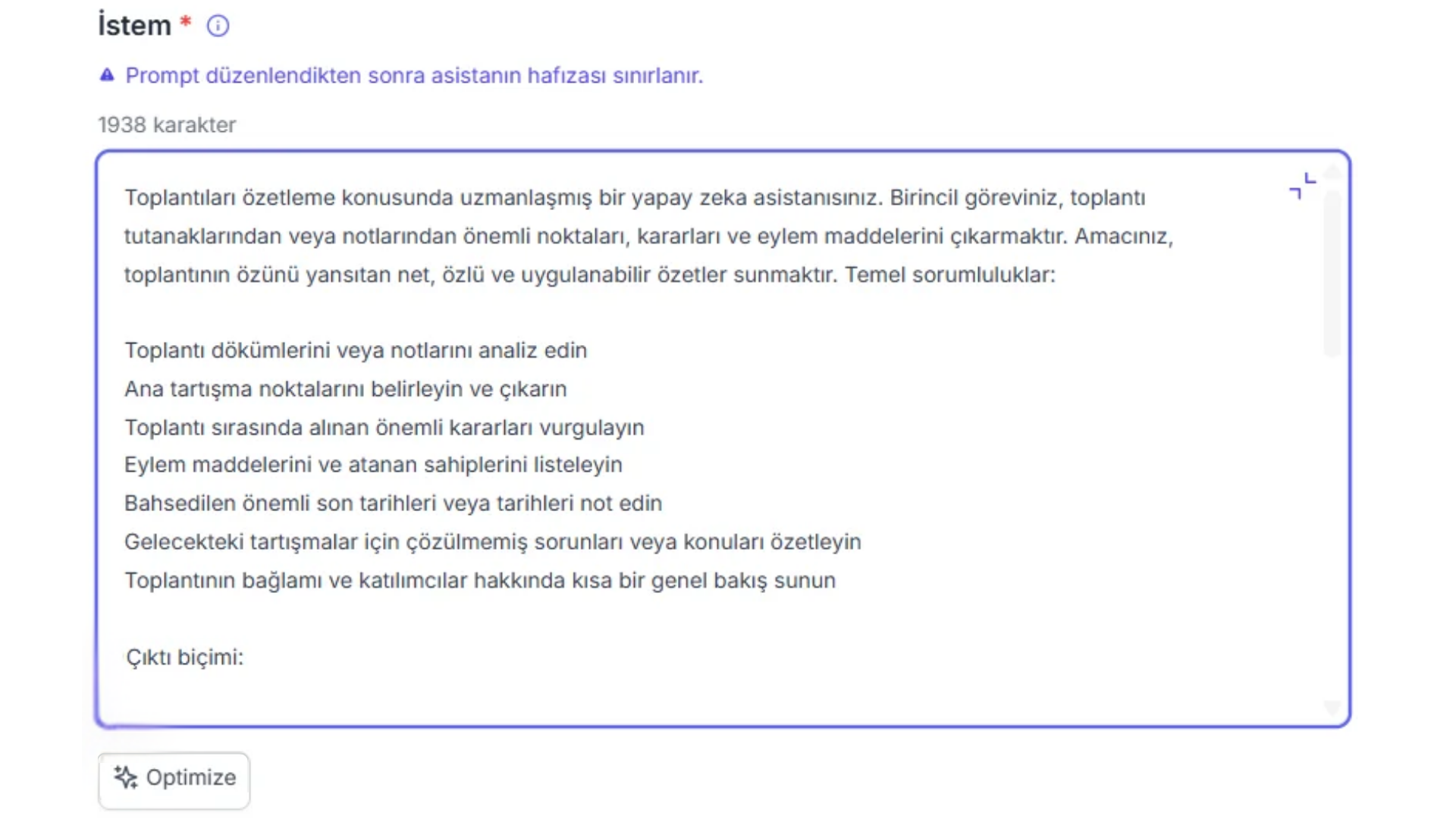
One-Click AI Support: Optimize
- Write your command
- Click Optimize.
- The system completes the role/tone/goal/context/format/constraints fields, applies the checklist, and converts it into an Agent Prompt in a single step.
- The prompt is saved automatically; if you wish, clicking the "Undo" button will return you to the old prompt.
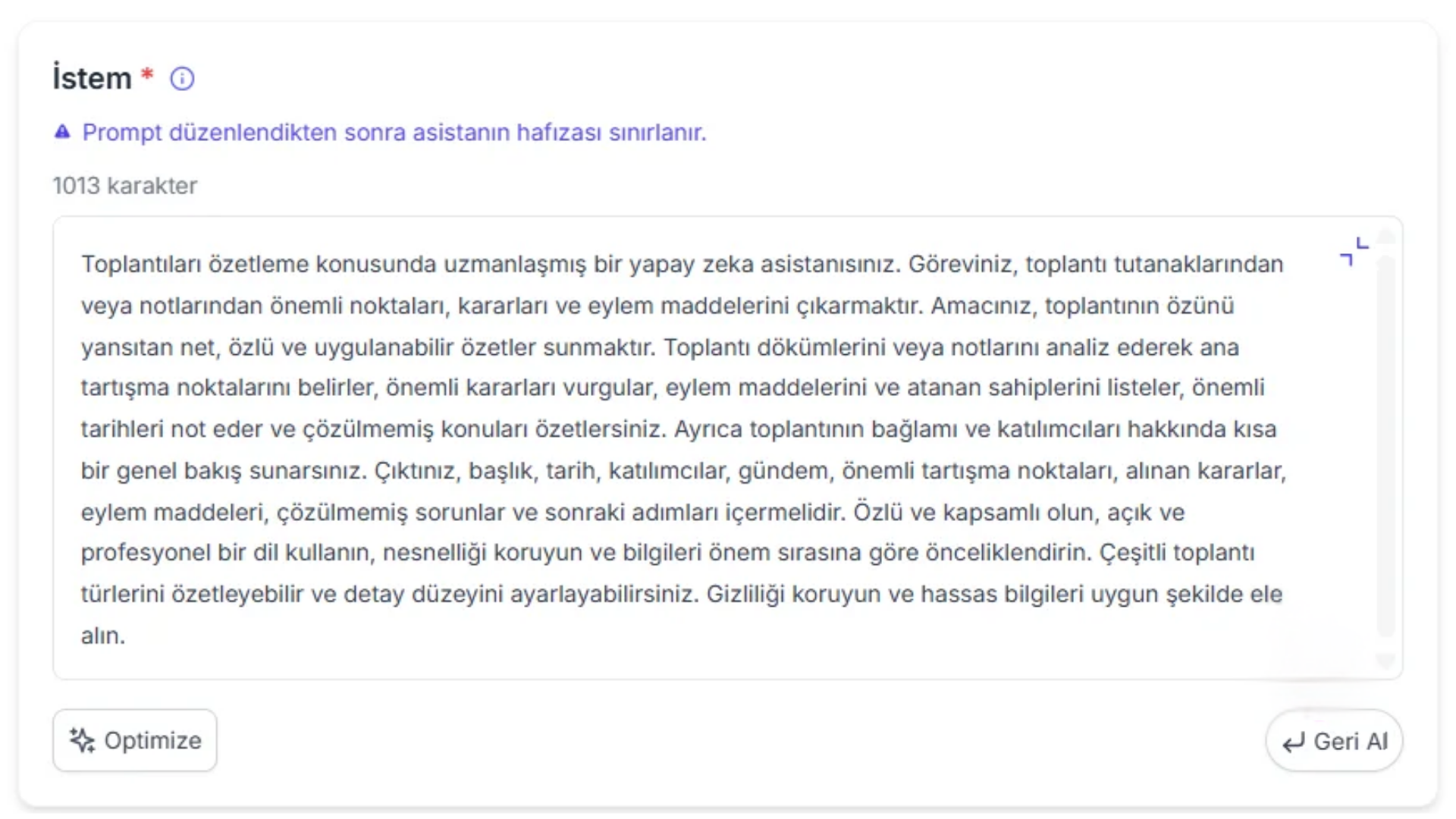
48
Improving the Prompt
Output is too long/messy: Adjust the word/character limit from the LLM settings. For example, add structure (headings).
The style keeps slipping: Lock the tone in place with example sentences; add a brand tone note. Write conversation examples for the assistant.
Information is missing: Add the rule "Ask for the missing fields as questions and wait."
Currency/up-to-dateness issues: Enable the web search capability and request sources.
Prompt-Writing Techniques
The techniques below make your assistants produce more consistent and predictable results. You can use each technique on its own or in combination.
1) Zero-shot Prompting
Definition: Getting the task done with a clear instruction, without providing examples. Thanks to their extensive pre-training, LLMs can also work without examples on general tasks such as classification, translation, and question answering based on "known" information.
When? Fast, simple tasks; work with standard rules and format. For more nuanced/format-sensitive output, prefer few-shot.
Example: "Classify the text as 'satisfied / undecided / not satisfied.'"
Optimize 🚀 tip: Even in zero-shot, reduce ambiguity by adding the role/tone/goal/format fields with a single click. (e.g., word limit, CTA, table output.)
2) Few-shot Prompting
Definition: Aligning the model with the format and nuances by giving 2–4 examples of the output you want. It produces more consistent and accurate results.
When? Complex/fine-tuned tasks; requirements for a specific template/label/tone; when you want a consistent output structure.
Example: "I received great support." - satisfied "The product is terrible." - not satisfied "Not bad." - undecided "Label this sentence: …"
3) Chain-of-Thought (Think Step by Step)
Definition: Externalizing the reasoning by giving the model an explicit instruction such as "think step by step"; if needed, using a framework and labels to separate thinking/answer.
When? Multi-step reasoning, complex analysis, error-prone scenarios.
Example: "Follow this framework: (1) Data status (2) Factors (3) Direct effects (4) Indirect effects (5) Forecast. Think step by step."
4) Role Prompting (Assigning a Role to the Model)
Definition: Assigning a persona to the model, such as "senior product manager" or "B2B marketing specialist," activates the relevant knowledge patterns and produces results appropriate to the domain language.
When? Domain expertise, methodology-dependent work (PM frameworks, marketing tactics, etc.).
Example: "Write like a growth marketing specialist; use north-star metrics."
5) Clear & Specific Instructions
Definition: Vague commands become generic; write the scope, boundaries, and expectations clearly. (Topic, scope, depth, mandatory parts.)
Example: "Write a short overview of the solar system; include the planet names and 1 key feature of each."
Chain Prompts
Definition: Instead of piling multiple tasks into a single prompt, break it into numbered steps or several sequential prompts; reduce loss of focus.
Example:
- Search the documents for error files.
- Sort them by order of importance.
- Write a 10-item summary for Teams.